Busy Light
For most of my career, I have worked with Windows systems whether that's on the desktop or a Windows Server. But during my university days, my lab used Solaris, and from there I always had an interest in Unix like operating systems. I recently got the Unix bug again and threw Linux Mint on my laptop to play around with it, I wanted to do something seemingly simple. Have a light turn on if my camera is on (please don't come into my office) or have a light turn off (it's okay to stop in).
My goal is to build a cross platform desktop application to send a signal over the network to turn on and off a smart light. I decided that building the app via Avalonia would be a fun side project.
How to query for cameras?
The first problem I thought to tackle is how can I query all cameras connected to my device? I have nil knowledge of the Linux kernel but remembered that Linux treats all devices as a file. So, I fired up my terminal and explored the directory /dev.
I'm working on a basic laptop that has a built-in webcam. No other cameras or webcams connected via USB. However, I was surprised that my machine contained two files: video0 and video1. Doing some research determined that one will represent the video stream and another may represent metadata.
Furthermore, I discovered the /sys directory which is an interface to the kernel. I navigated to that and noticed there's a directory /sys/video4linux that contains my video0 and video1, this time as directories with a lot more information!
zhaxx@zhaxx-net:/sys/class/video4linux/video0$ ls -l
total 0
-r--r--r-- 1 root root 4096 Jul  3 16:54 dev
-rw-r--r-- 1 root root 4096 Jul  3 16:54 dev_debug
lrwxrwxrwx 1 root root    0 Jul  3 15:38 device -> ../../../3-1:1.0
-r--r--r-- 1 root root 4096 Jul  3 16:54 index
-r--r--r-- 1 root root 4096 Jul  3 16:54 name
drwxr-xr-x 2 root root    0 Jul  3 16:54 power
lrwxrwxrwx 1 root root    0 Jul  3 15:39 subsystem -> ../../../../../../../../../class/video4linux
-rw-r--r-- 1 root root 4096 Jul  3 16:54 uevent
For example, I can view the name of the camera.
zhaxx@zhaxx-net:/sys/class/video4linux/video0$ cat name
Laptop Camera: Laptop Camera
That's good enough for me. I bootstrap my app and create a class that will be responsible for implementing the algorithm to find all cameras connected to the system and their state. I do want this to be fairly general so I can extend beyond cameras some day. I create a couple of basic presentation models for my UI.
public record DeviceInfo
{
    public string Id { get; init; } = "";
    public DeviceType DeviceType { get; init; }
    public string Name { get; init; } = "";
    public DeviceStatus Status { get; set; }
}
The DeviceStatus enum is very basic for now at least.
public enum DeviceStatus
{
    NotInUse = 0,
    InUse = 1
}
The IDeviceStrategy class will implement different algorithms to retrieve different type of devices connected to the PC.
public interface IDeviceStrategy
{
    DeviceType SupportedType { get; }
    List<DeviceInfo> RetrieveDevices();
}
public enum DeviceType
{
    Camera = 0
}
Here is the implementation:
public class CameraStrategy : IDeviceStrategy
{
    private const string CameraPath = "/sys/class/video4linux";

    public DeviceType SupportedType => DeviceType.Camera;

    public List<DeviceInfo> RetrieveDevices()
    {
        if (!Directory.Exists(CameraPath))
        {
            return [];
        }

        var devices = new List<DeviceInfo>();
        var directories = Directory.GetDirectories(CameraPath);

        foreach (var directory in directories)
        {
            var devNode = Path.GetFileName(directory);
            var deviceNamePath = Path.Combine(directory, "name");
            var friendlyName = File.ReadAllText(deviceNamePath).Trim();

            var newDevice = new DeviceInfo
            {
                Id = devNode,
                DeviceType = SupportedType,
                Name = friendlyName,
            };

            devices.Add(newDevice);
        }

        return devices;
    }
}
Right now my goal, is simple. I want to display the two video components. The video stream and the metadata stream. I simply want to throw their names on the screen to see what they look like. To my surprise, I find something that looks like this:
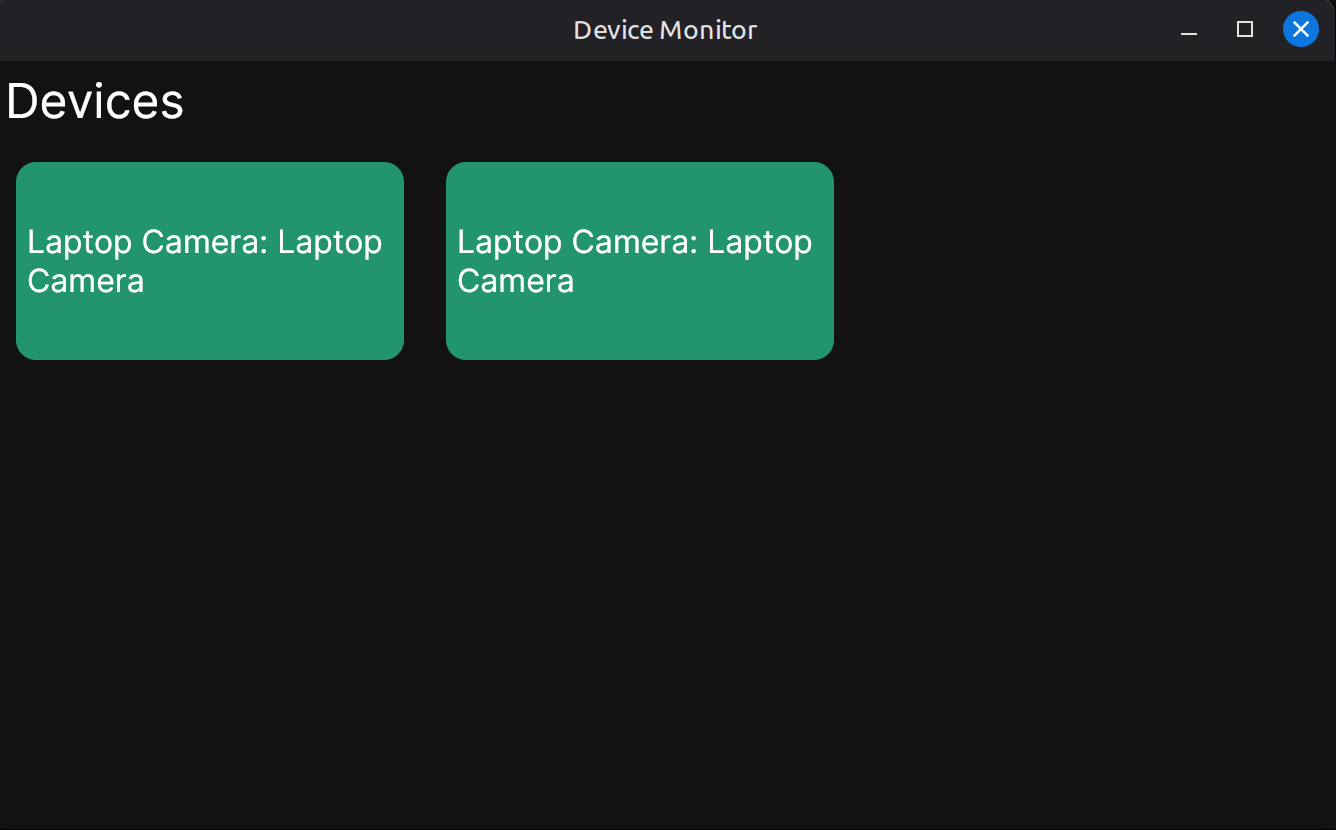
The two video components found, have the same exact name. I'm not sure what I expected, but I thought one of them would contain some text that I could differentiate the two and filter it out. Since, I'm lazy I consider the hypothesis that maybe every camera will initialize two components and I can also use the video with the lowest index. I then consider the case of having multiple cameras attached to the PC or a dual camera web-cam. I recall seeing that my video0 contained a symbolic link maybe that can give us more information.
zhaxx@zhaxx-net:/sys$ ls -l /sys/class/video4linux
total 0
lrwxrwxrwx 1 root root 0 Jul  4 13:50 video0 -> ../../devices/pci0000:00/0000:00:08.1/0000:c1:00.4/usb3/3-1/3-1:1.0/video4linux/video0
lrwxrwxrwx 1 root root 0 Jul  4 13:50 video1 -> ../../devices/pci0000:00/0000:00:08.1/0000:c1:00.4/usb3/3-1/3-1:1.0/video4linux/video1
This shows that video0 and video1 are symbolic links and it shows the path through the PCI ports on my motherboard. They resolve to the same path! I can use this path to group the video components and treat it as one camera now. I refactor my CameraStrategy class. Luckily, File in .NET has everything I need. Here is the updated implementation:
public class CameraStrategy : IDeviceStrategy
{
    private const string CameraPath = "/sys/class/video4linux";

    public DeviceType SupportedType => DeviceType.Camera;

    public List<DeviceInfo> RetrieveDevices()
    {
        if (!Directory.Exists(CameraPath))
        {
            return [];
        }

        var directories = Directory.GetDirectories(CameraPath);

        var discoveredDevices = new List<DeviceInfo>();
        foreach (var directory in directories)
        {
            var devNode = Path.GetFileName(directory);

            // Extract the node number from video0 -> 0 or video2 -> 2
            var regex = new Regex(@"\d+");
            var match = regex.Match(devNode);
            if (!match.Success || !int.TryParse(match.Value, out var nodeNumber))
            {
                continue;
            }

            var deviceLink = Path.Combine(directory, "device");
            var target = File.ResolveLinkTarget(deviceLink, true);
            if (target == null)
            {
                continue;
            }

            var deviceNamePath = Path.Combine(directory, "name");
            var friendlyName = File.ReadAllText(deviceNamePath).Trim();
            // Group by this value
            var physicalBusPath = target.FullName;

            var newDevice = new DeviceInfo
            {
                Id = devNode,
                DeviceType = SupportedType,
                Name = friendlyName,
                NodeNumber = nodeNumber,
                PhysicalBusPath = physicalBusPath
            };

            discoveredDevices.Add(newDevice);
        }

        var validDevices = new List<DeviceInfo>();
        var devices = discoveredDevices
            .GroupBy(dn => dn.PhysicalBusPath)
            .Select(g => g.OrderBy(n => n.NodeNumber).First());

        validDevices.AddRange(devices);
        return validDevices;
    }
}
We now can group by the PhysicalBusPath and thus only display the video stream in the application. One other thing is we are sorting by the "node number" and only selecting the first one since to have a metadata stream there must be a video stream already initialized.
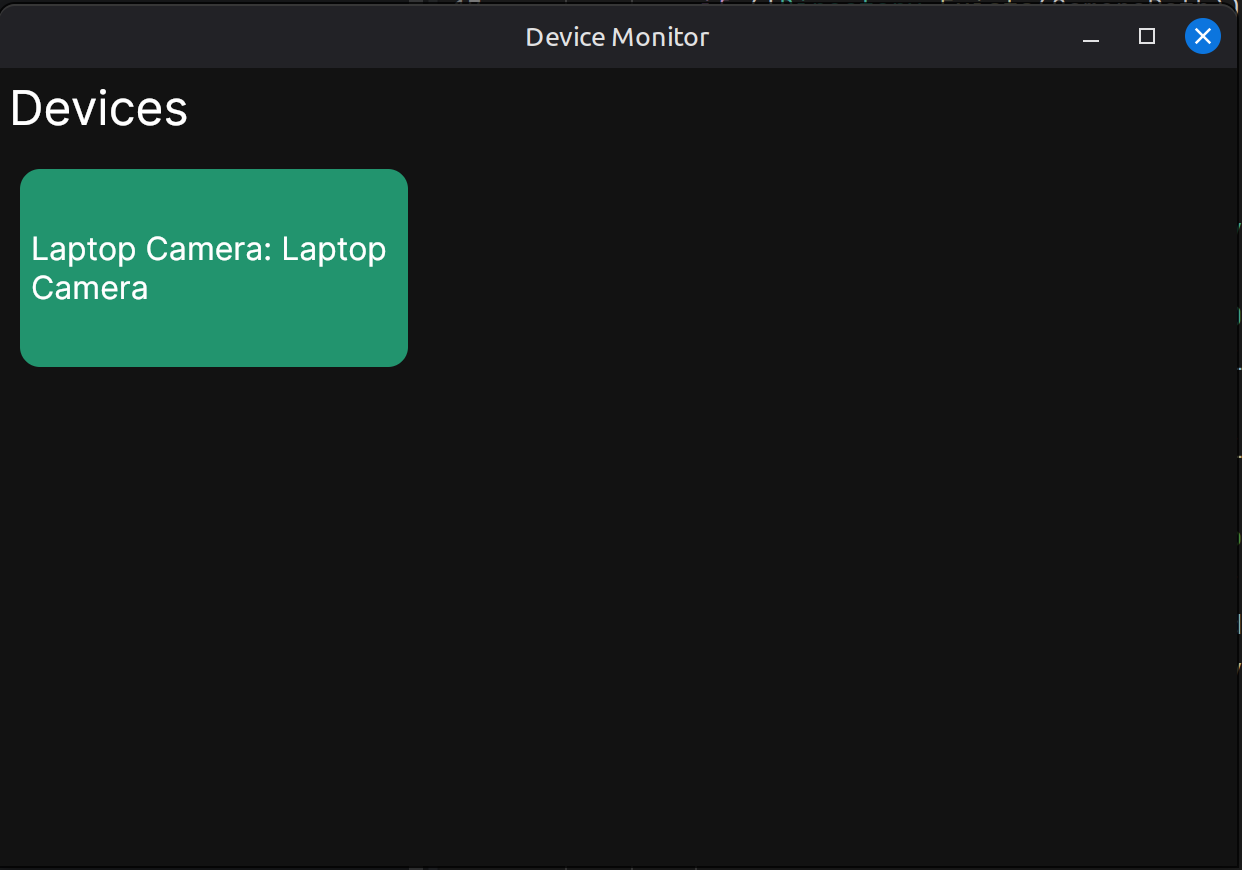
Running the application, we now see only one camera.
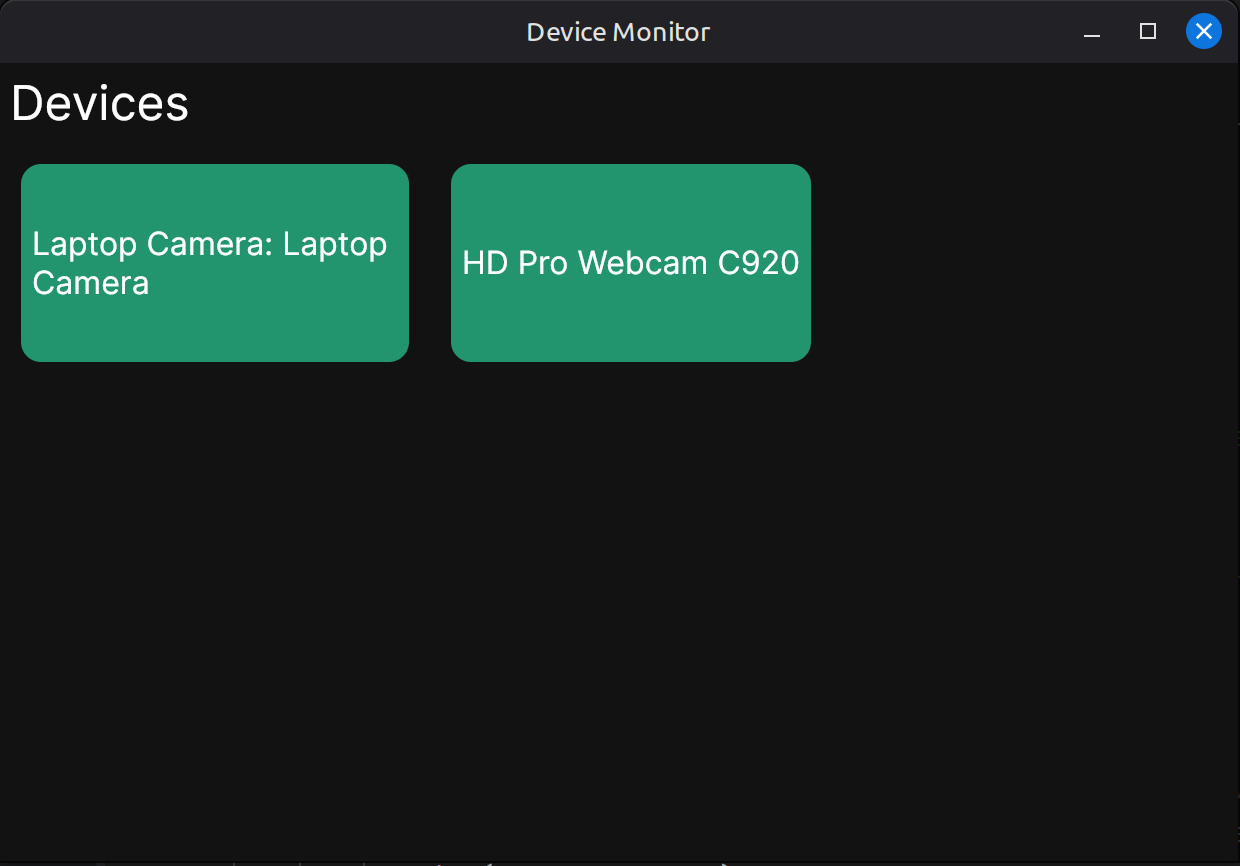
I plugged in an external webcam via USB port and it seems to pick this one up correctly too.
I'm satisfied with this progress thus far. Next post, we will add a way to query the camera's state to see if it is recording or not.
If you would like to run the application, please see the repository for the Local Device Monitor App for all of the code!